
DXF in, optimized sheets out. Everything a cutting department needs to turn a parts list into a cut-ready nest.
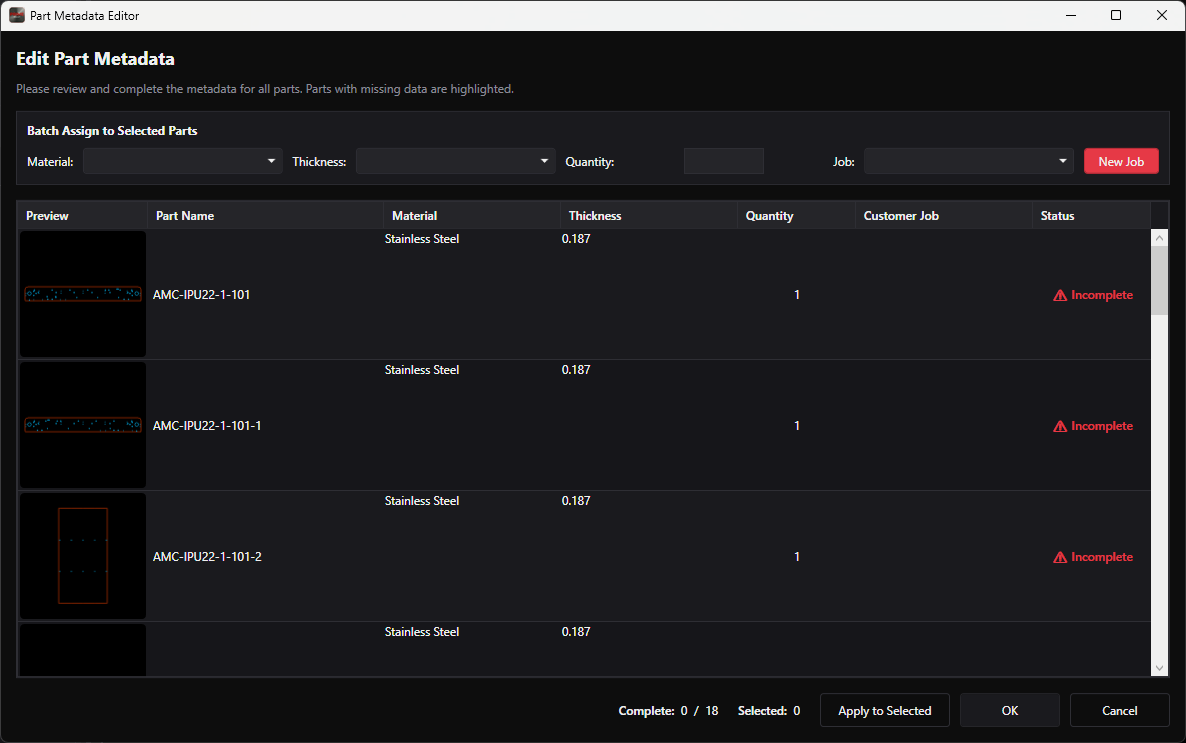
Load DXF geometry straight from CAD. The Part Metadata Editor puts every part in one list with a preview thumbnail, so you can review and complete the data before anything reaches the nest.
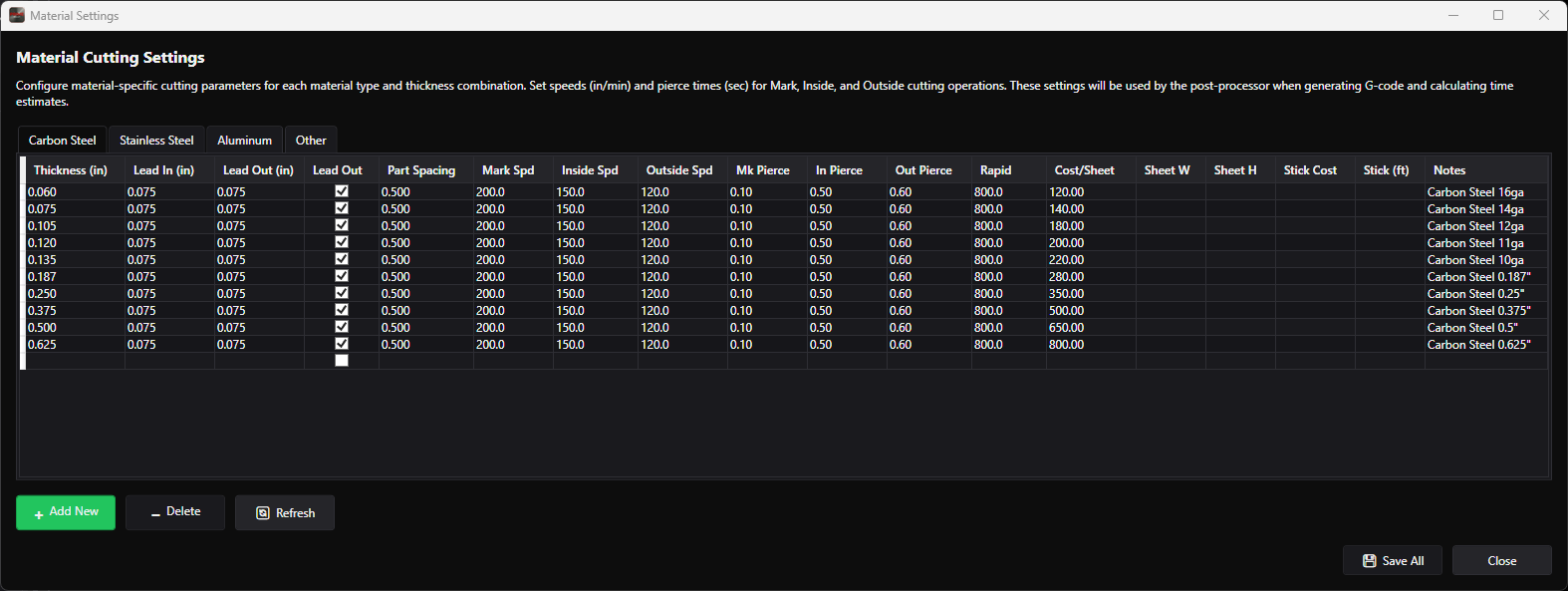
Every material and thickness combination carries its own cutting data. Set it up once and every nest that uses that combination inherits the right speeds, pierce times, leads, and cost.
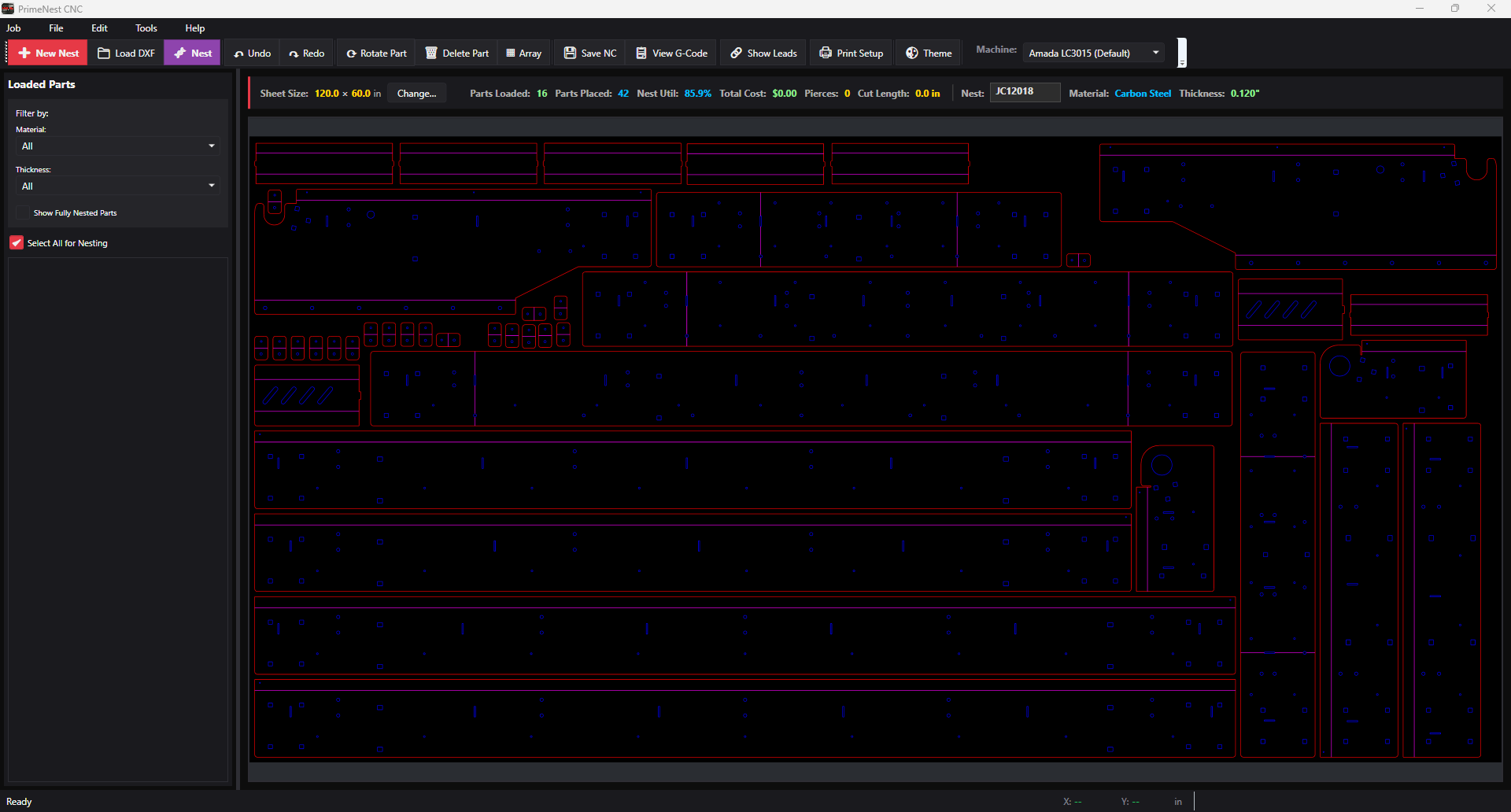
The true-shape engine works the real part outline, not a bounding box. Hit Nest and watch utilization, parts placed, pierce count, and cut length update on the status bar — then take over by hand wherever you'd do it differently.
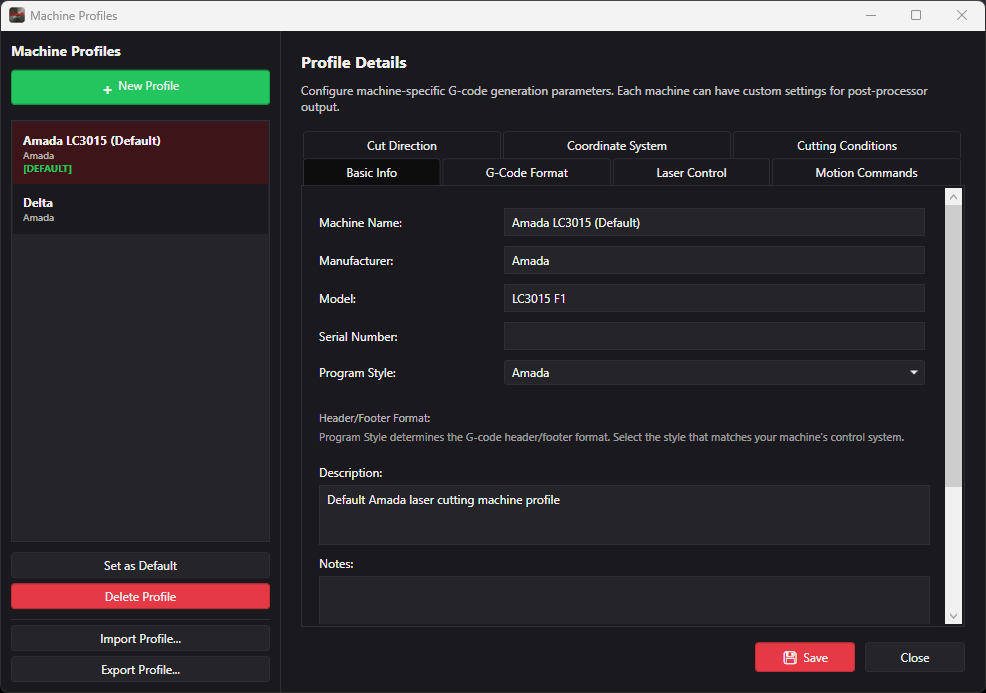
Generic output means somebody hand-edits the program before it runs. PrimeNEST keeps a profile per machine, so the G-code comes out in the dialect that machine expects — header, footer, motion commands, and all.
| Item | Detail |
|---|---|
| Platform | Windows 10 / Windows 11 (64-bit) |
| Import formats | DXF |
| Output | G-code / NC, generated per machine profile |
| Machine types | CNC laser, CNC plasma |
| Nesting method | True-shape |
| Materials | Carbon steel, stainless steel, aluminum, plus custom entries |
| Cutting parameters | Speeds, pierce times, leads, and part spacing per material and thickness |
| Costing | Cost per sheet, cut length, and pierce count per nest |
| Job tracking | Parts assigned to named customer jobs |
| Machine profiles | Unlimited, importable and exportable |
| Licensing | Per-seat license — see Pricing |
| Add-on modules | Structural Steel Workflow, Auto-Load DXF |
Have a machine or controller not listed here? Ask us — we'll confirm compatibility before you buy.
Send a few DXF files and we'll nest them for you, so you can see the utilization number on real work — not a demo file.